Structured findings
Document capillary density, dilations, giant capillaries, microhemorrhages, avascular areas, and neoangiogenesis in a repeatable format.
Free reporting resource
Use a structured nailfold capillaroscopy report template, then move to automatic reports when you want images, metrics, and follow-up in one place.
Use the generator for text. Use Capillary.io when you need images, metrics, exports, and follow-up.
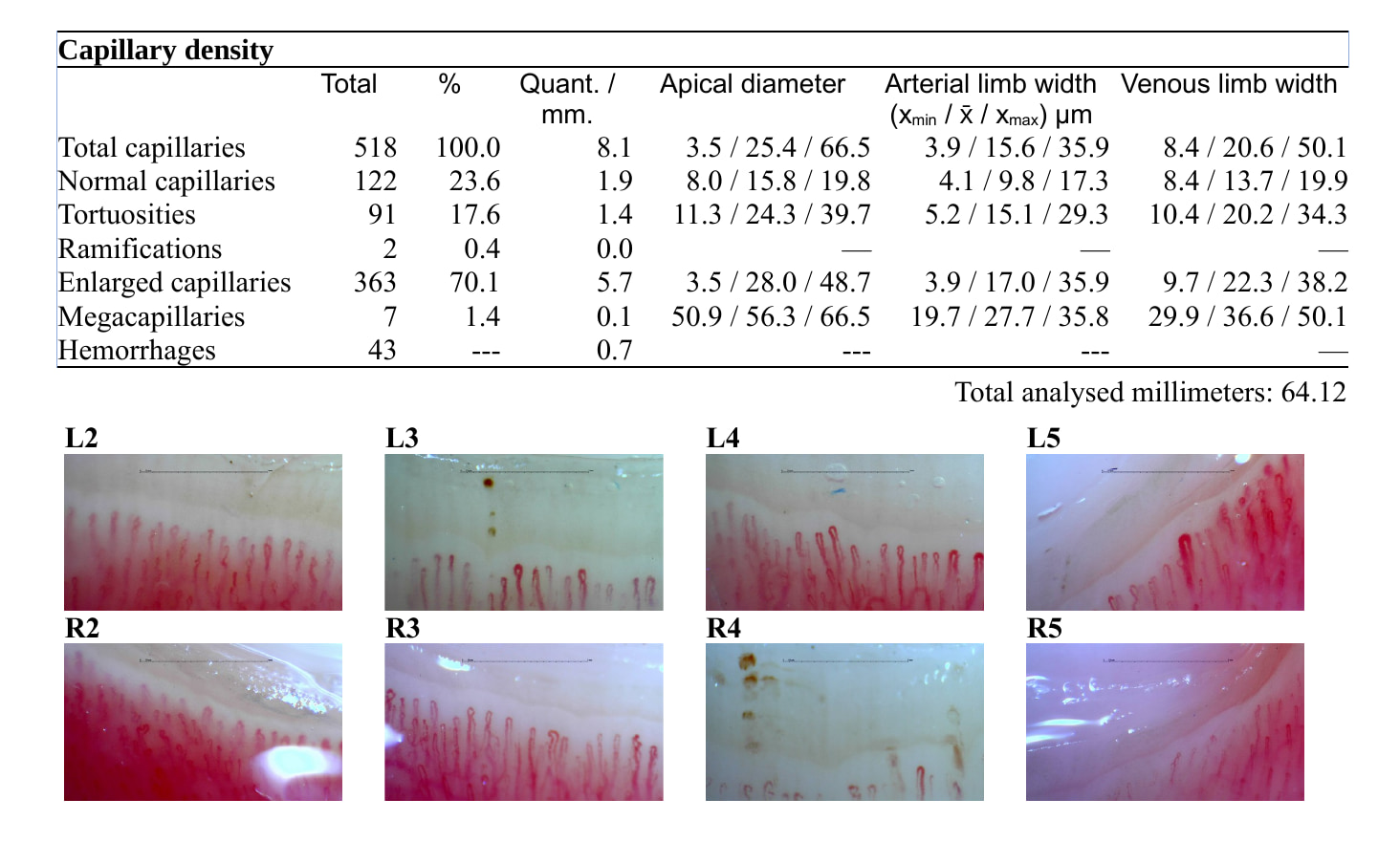
Document capillary density, dilations, giant capillaries, microhemorrhages, avascular areas, and neoangiogenesis in a repeatable format.
Keep the global interpretation separate from the raw findings, so the report is easier to review and defend.
Manual templates often lose the comparison. Capillary.io keeps visits and patient series together.
A text-only report cannot show which image supported a finding. Capillary.io stores the images alongside the report.
Download reports and datasets instead of copying text between tools.
Use a standardized default report or adapt templates to your reporting workflow.
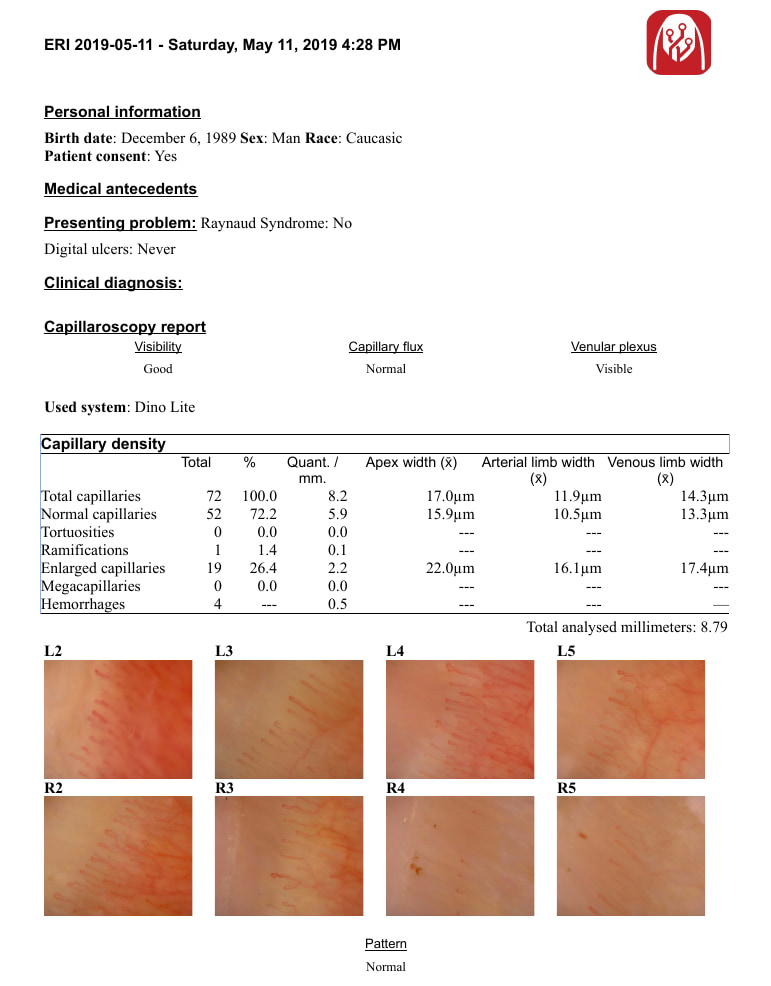
Automatic reports
A template helps you write. Capillary.io helps you keep the images, measurements, and structured data that make the report useful months later.
Use the free generator to create a report starting point.
Upload images to Capillary.io when the report needs evidence.
Review density, morphology, hemorrhages, and quality.
Download a structured report or dataset.
Capillary.io keeps the report connected to images, findings, measurements, and longitudinal follow-up.
Generate report draft